


Meta
Meta Ray Ban Smart Glasses
Meta Ray Ban Smart Glasses
Couldn't load pickup availability
Hands-Free Camera, Audio, and Voice Control in Everyday Eyewear
Wearable smart glasses that let you take photos, record video, listen to audio, make calls, and access voice assistants without touching your phone. For people with low vision or blindness, the hands-free design and built-in camera open up practical accessibility options that traditional eyewear cannot.
Who Are Meta Ray Ban Smart Glasses For?
These glasses are for anyone who wants hands-free access to their phone, camera, and audio. But they are especially useful for people with low vision, blindness, or limited dexterity who benefit from not having to hold, find, or look at a phone to interact with technology.
People use Meta Ray Ban Smart Glasses for:
- Capturing what you see — take a photo or record a video of whatever is in front of you using a simple voice command, no need to aim a phone camera
- Getting remote visual assistance — pair with a video call or an app like Be My Eyes so a sighted person can see what you see and describe your surroundings, read labels, or help you navigate
- Listening without isolating yourself — open-ear speakers let you hear music, podcasts, phone calls, and audio feedback while still hearing the world around you (no earbuds blocking traffic, conversations, or announcements)
- Hands-free communication — make calls, send messages, and interact with voice assistants without reaching for your phone
- Documenting moments — capture photos and video from your perspective at family gatherings, events, or while traveling, without interrupting the experience
- Everyday navigation — pair with AI visual recognition apps to get spoken descriptions of your environment through the glasses
Meta Ray Ban Smart Glasses are not a dedicated assistive device like the OrCam MyEye or Envision Glasses. They do not have built-in object recognition, text reading, or scene description. What they do offer is a comfortable, mainstream pair of glasses with a camera and voice control that work well alongside accessibility apps you may already use on your phone.
Camera
The built-in front-facing camera sits discreetly on the frame and captures photos and video from your point of view.
- 12 MP camera for still photos
- 1080p video recording up to 60 seconds per clip (longer with livestreaming)
- Voice-activated — say "Hey Meta, take a photo" or "Hey Meta, start recording" without touching the glasses
- LED indicator light lets people around you know when the camera is active
- Captured media syncs wirelessly to your phone through the Meta View app
The first-person perspective is what makes this camera different from a phone camera. You capture exactly what you are looking at, which is especially valuable when sharing your view with someone providing remote visual assistance.
Audio
Open-ear speakers are built into the arms of the glasses, sitting just above your ears.
- Hear audio without earbuds — music, calls, podcasts, navigation prompts, and screen reader output come through the glasses
- Stay aware of your surroundings — open-ear design means you hear environmental sounds (traffic, conversations, announcements) at the same time
- Built-in microphones for clear voice calls and voice commands
- Touch controls on the frame for adjusting volume, pausing audio, and answering calls
For people who rely on environmental sounds for safety and orientation, the open-ear design is a significant advantage over earbuds or headphones.
Voice Control
Voice commands let you operate the glasses without touching them.
- Take photos and videos
- Make and answer phone calls
- Send messages
- Play and control music
- Ask questions through Meta AI or your phone's voice assistant
- Start a livestream for remote assistance
All major functions work through voice, which means the glasses are fully usable without seeing or touching any controls.
Frame Styles and Lenses
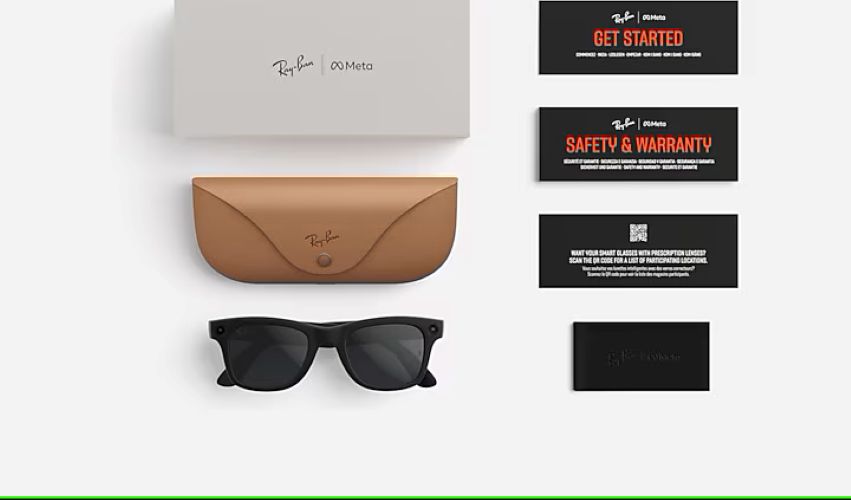
Meta Ray Ban Smart Glasses look and feel like regular Ray-Ban eyewear. They are available in multiple classic frame styles and lens options:
- Clear lenses — for indoor use or as a platform for prescription lenses
- Sunglass lenses — tinted for outdoor use
- Transition lenses — automatically darken in sunlight and clear up indoors
The glasses connect wirelessly to your smartphone through the Meta View app for managing photos, videos, and settings.
Pairing with Accessibility Tools
Meta Ray Ban Smart Glasses become more powerful when combined with the accessibility apps and services you already use:
- Be My Eyes / Aira — stream your first-person view to a sighted volunteer or agent who describes what you see
- Screen readers (VoiceOver, TalkBack) — audio output from your phone routes through the glasses' open-ear speakers
- AI visual recognition apps — apps that identify objects, read text, or describe scenes can use the glasses' camera or deliver audio through the speakers
- Video calling — FaceTime, WhatsApp, or Zoom calls let family or support professionals see your perspective in real time
The glasses themselves do not read text, identify objects, or describe scenes. That processing happens on your phone or through a connected service. The glasses provide the camera and the audio output.
Training and Support ($75 Add-On)
Meta Ray Ban Smart Glasses are mainstream consumer technology, not a purpose-built assistive device. Some features take practice to use effectively, especially when pairing with accessibility apps.
Our training and support package includes:
- Initial setup assistance — connecting the glasses to your phone, configuring the Meta View app, and adjusting settings
- Voice command walkthrough — learning the commands for photos, video, calls, and AI features
- Accessibility app pairing — help connecting the glasses with Be My Eyes, screen readers, or other tools you use
- Ongoing guidance — understanding how the glasses fit into your daily routine
This is recommended for anyone who is new to smart glasses or wants help integrating them with existing accessibility tools.
Important: Final Sale Policy
Meta Ray Ban Smart Glasses are final sale and cannot be returned because they cannot be repackaged once opened.
Not sure if these are right for you? Call us at 1-800-919-3375 or email store@chicagolighthouse.org before purchasing. Our team can help you understand what the glasses can and cannot do for your specific situation, help you choose the right frame style and lens option, and make sure this is the right fit before you commit.
We would rather have a conversation now than have you end up with a product that does not meet your needs.
Why Buy from My Tools for Living?
My Tools for Living is the assistive technology store of The Chicago Lighthouse, a leading organization in vision care and rehabilitation since 1906. When you purchase from us:
- You are buying from a team that understands both the technology and the accessibility use cases
- We offer a $75 training and support package to help you get the most out of the glasses (not available from most retailers)
- Your purchase supports The Chicago Lighthouse's mission to serve people who are blind or visually impaired
Most retailers sell Meta Ray Ban glasses as a consumer gadget. We sell them as an accessibility tool and support you accordingly.
Frequently Asked Questions
Can Meta Ray Ban Smart Glasses read text aloud?
Not on their own. The glasses do not have built-in text recognition (OCR). However, you can pair them with AI visual recognition apps on your phone that use the camera input or your phone's camera to identify and read text, with the audio output coming through the glasses' open-ear speakers. If you need a device with built-in text-to-speech, consider the OrCam MyEye 3 Pro or the DaVinci Pro HD/OCR.
Are these glasses a replacement for a dedicated assistive device like the OrCam MyEye?
No. The OrCam MyEye and similar devices have built-in processors that recognize text, faces, products, and colors without needing a phone. Meta Ray Ban glasses rely on your phone and connected apps for those capabilities. The advantage of the Meta Ray Bans is that they look like normal glasses, have better audio quality, and integrate with mainstream apps and voice assistants. Many people use both: a dedicated device for structured tasks and the Meta glasses for casual, everyday hands-free use.
How do I use them for remote visual assistance?
Pair the glasses with your phone, then start a video call through Be My Eyes, Aira, FaceTime, or another video app. The other person sees what your glasses' camera sees. They can describe your surroundings, read labels, help you navigate a store, or assist with any visual task. This works because the camera is on your face pointing at what you are looking at, not a phone you have to hold up and aim.
Do the glasses work with screen readers?
Yes. Audio from your phone's screen reader, such as VoiceOver on iPhone or TalkBack on Android, routes through the glasses' open-ear speakers. This gives you spoken feedback without earbuds, so you can hear the screen reader and your environment at the same time.
What frame and lens options are available?
The glasses come in multiple classic Ray-Ban frame styles. Lens options include clear for indoor use or prescription lenses, sunglass tint for outdoor use, and transition lenses which darken automatically in sunlight. Contact us if you need help choosing a frame or lens.
Can I return them if they don't work for me?
No. Meta Ray Ban Smart Glasses are final sale because they cannot be repackaged. If you are unsure whether these are right for your needs, call us at 1-800-919-3375 or email store@chicagolighthouse.org before purchasing. We are happy to walk through what the glasses can and cannot do for your specific situation.
Why is training recommended?
Meta Ray Ban glasses are consumer technology with accessibility potential, but they are not plug-and-play assistive devices. Features like voice commands, app pairing, and livestreaming for remote assistance take practice. The $75 training package helps you set up, learn commands, pair with your accessibility apps, and build the glasses into your routine. It is especially recommended if you are new to smart glasses.
How long does the battery last?
Battery life varies by usage. Expect approximately 4 hours of moderate use, including mixed photo, audio, and voice control, on a single charge. The included charging case provides additional charges on the go.


How I wish I could Buy one soon, and hoping that the price also would not get higher anymore,=):